
Divulgation du partenaire : SewingInsight.com participe au programme d'associés Ebay Partner Network et Amazon Services LLC. Nous gagnons de petits frais de publicité en créant des liens vers des produits sur Ebay et Amazon. Cela n'augmente pas le prix pour vous en tant que lecteur mais vous soutiendrez notre petite entreprise.

Test du Brother SE600 (2026) : Vaut-il le coup pour les débutants ?
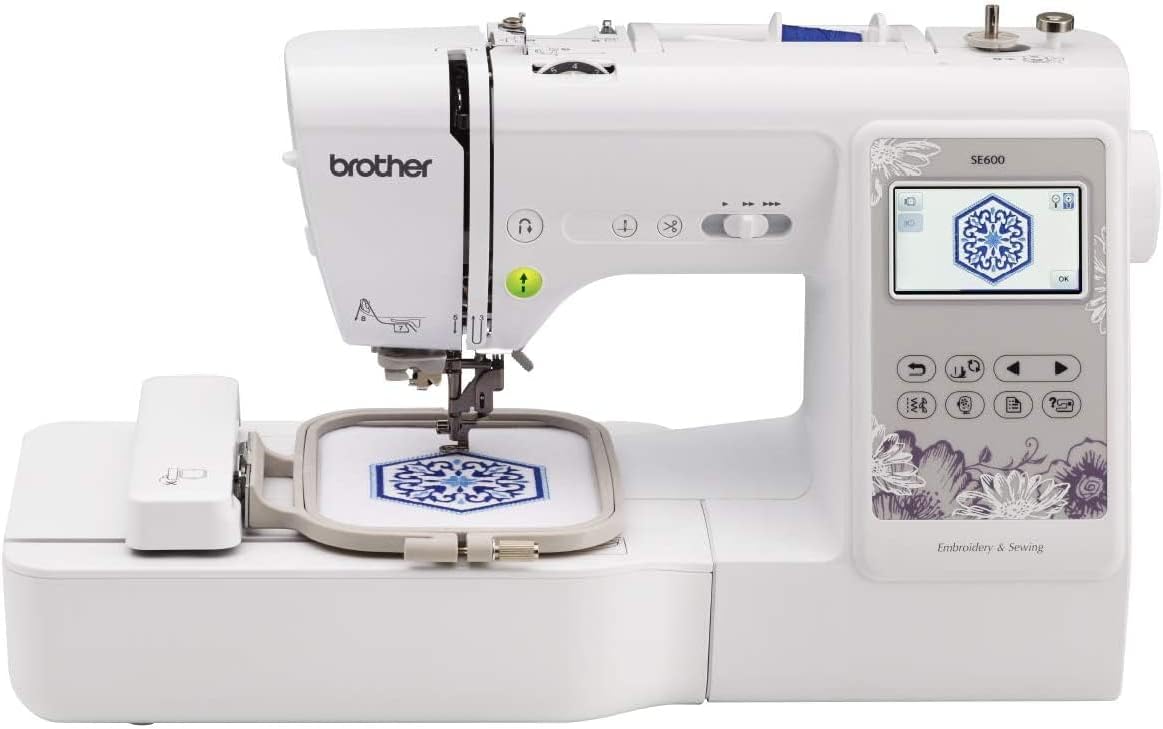
The Brother SE600 is among the most famous entry-level machines offering sewing and embroidery in one package. The features offered are quite varied: built-in designs, a color touchscreen, and the option to switch between sewing and embroidery without having two separate machines.
But here’s the reality: combination machines always have some trade-offs. The SE600 can be considered a stepping stone pour les débutants in embroidery rather than a full-fledged embroidery set.
In this article, we’ll highlight the strong points of the BrotherSE600, the moments when it feels constrained, and other options buyers can consider at the same price point.
What the Brother SE600 Offers
Basically, the SE600 is a fusion sewing-and-embroidery machine. It provides 103 built-in sewing stitches and 80 embroidery designs, plus a 4×4 embroidery area. The touchscreen allows you to visualize and modify designs before stitching, which is very helpful if you are a novice at embroidery.
Switching from sewing to embroidery is easy, which is one of the reasons this machine is so beginner-friendly. You need not get overwhelmed with difficult procedures, start with basic sewing and embark on embroidery at your own pace.
In practical terms, SE600 performs well on light- to medium-weight materials. It can be used for day-to-day sewing and for embroidery; one can attain nice results as long as one does not go over the size limitations.
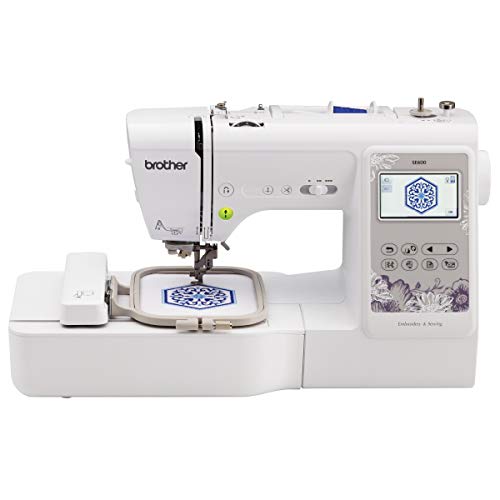
The Brother SE600 is a beginner-friendly combination sewing and embroidery machine, packing 103 built-in stitches, 80 embroidery designs, and a color touchscreen into one compact unit. With a 4×4 embroidery hoop and easy mode-switching, it's an affordable way to learn both crafts without buying two machines, ideal for monograms, patches, and small custom projects.
- Sews and embroiders in one machine
- 103 stitches + 80 built-in embroidery designs
- Color touchscreen to preview and edit designs
- Simple switch between sewing and embroidery modes
- Great entry point for beginners
- 4×4 hoop limits larger embroidery designs
- Vibrates during long or dense embroidery runs
- USB-only design transfer (no Wi-Fi)
- Not suitable for hats or structured items
- Lightweight build can shift on heavy projects
Where It Starts to Feel Limited
The most significant drawback of the Brother SE600 is the 4×4 hoop size. Initially, it is enough, but people quickly realize they want to work on larger designs. This limitation is the primary reason people decide to get a new machine after using it only for a few months.
Long embroidery sessions cause the machine to vibrate. Since this machine is very light, it may even shift slightly while working on dense or long designs. It is not the end of the world, but a heavier machine would be more stable.
Besides this, one more thing to worry about is design transfer. The only way the SE600 has to get designs is via USB. It works, but this is compared to newer models that even have wireless transfers.
Who This Machine Is For
In fact, the SE600 would be the perfect choice when you are a beginner and want to learn sewing and embroidery without buying two machines.
It’s especially useful for:
- Beginners learning embroidery basics
- Small custom projects like patches, monograms, and gifts
- Users who value simplicity over advanced features
In case you plan to do larger-scale embroidery or professional-level production, this device will become restrictive in no time.
Brother SE600 vs SE625
Their performance is almost equal in every aspect for SE600 and SE625. They feature the same sewing, embroidery, and 4×4 hoop size.
The only distinction is that SE625 comes with a CD of 200 extra embroidery designs.
Basically, you can get more embroidery designs with the SE625, but it doesn’t really change the machine’s fundamental operations. If the price gap between them is not big, the SE625 is a bit more attractive, giving you a few more designs. However, the SE600 is just as good a choice in most other cases.
Brother SE600 vs SE700 / SE725
The SE700 (and the SE725 version sold by some retailers) introduces Wi-Fi design transfer, which removes the need for USB drives. That alone makes a big difference in convenience, especially if you work with custom designs frequently.
Besides connectivity, the overall vibe is pretty similar. Both machines are geared towards beginners, but the SE700 has a more modern and sleek look.
If you want to get a nicer workflow and plan to be doing a lot of embroidery, the upgrade is definitely worth it. Meanwhile, if you are a beginner, the SE600 is still a great option and covers the basics well.
Brother SE600 vs PE800
With these two, ultimately, you have to decide whether you want more features or really want to be good at one thing.
The PE800 is strictly an embroidery unit, but it comes with a way bigger 5×7 hoop size. That extra room means you can create larger and more intricate designs without repositioning the fabric.
The SE600, however, offers both sewing and embroidery, though with a smaller embroidery area.
If you want to do mostly embroidery, the PE800 makes a better investment for the future. On the other hand, if you are looking for a combination machine for diversified activities, the SE600 is the more reasonable option.
Questions fréquemment posées
Is the Brother SE600 worth it for beginners?
Yes. It is especially made for beginners and provides a simple way to learn both sewing and embroidery with minimal complications.
What’s the difference between the SE600 and SE625?
The two are virtually the same machines, but the SE625 comes with additional embroidery designs on a bundled CD. In terms of performance, they are equal.
Can the Brother SE600 do hats and large designs?
Simply put, no. The 4×4 hoop size restricts the size of your design, and it is not at all ideal for hats or other similar structured items. If you want to do large designs, you should opt for a machine with a bigger embroidery field.
Si vous êtes une couturière avancée, jetez un œil à notre meilleures machines à coudre, meilleurs livres de couture et meilleurs magazines de couture messages et si vous cherchez à obtenir un mécanique, à toute épreuve, piquage ou machine à coudre industrielle, jetez un œil à certains de nos excellents articles. Si vous êtes une couturière débutante, consultez notre meilleurs livres de couture pour débutants, meilleures machines à coudre pour débutants et meilleures machines à coudre sous $200 pour commencer.
Pour les articles liés à la marque, consultez Meilleure Bernette | Meilleur Bernina | Meilleur Brother | Meilleur Husqvarna Viking | Meilleur Janome | Meilleur Juki | Meilleur Singer |
Pour les meilleurs accessoires, vérifiez Meilleures chaises | Meilleures tables | Meilleur papier calque | Meilleures huiles pour machines | Meilleurs ciseaux et cisailles | Meilleurs pieds-de-biche | Meilleures aiguilles | Les meilleurs kits de couture |
Bonne couture.


